Complete test documentation for precise and reproducible results
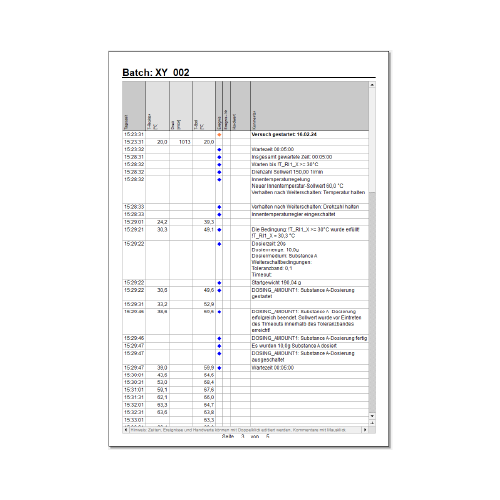
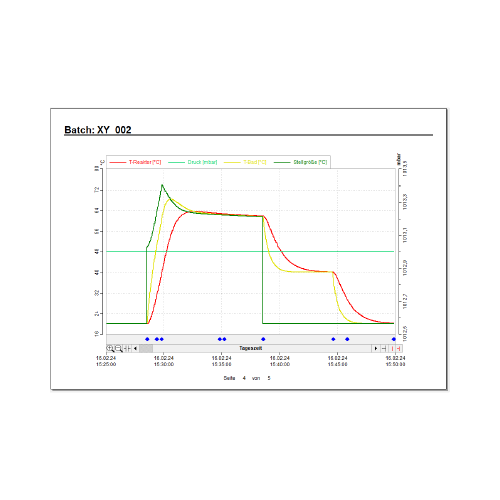
The LabVision® REPORT module automates and optimizes your data collection – whether manual, recipe-controlled, or now entirely intuitive via voice input. This allows you to gain valuable time for your research while simultaneously ensuring the highest quality standards.
Key features and benefits
Automated documentation: Seamlessly record all relevant data from your experiments, whether automated or manual, through an intuitive user interface.
Customizable: Customize the content and structure of your report. Choose from a variety of templates. Choose from various templates or create a standardized template for your entire team.
Special conditions for data collection: Provides the ability to record based on certain conditions, e.g. record only when certain events occur.
Automated backups: Automated backups help ensure that your data is safe, secure, and available to you at all times.
Simple and intuitive operation: REPORT features a user-friendly interface that makes it easy to use, despite its extensive configuration options.
Comments and manual data entry: Lets you easily add comments and manual data such as weighing, adding reagents, or sampling with just one click.
Live view: All entries can be checked in real time. This allows you to check and adjust your data immediately.
PDF and CSV export: Upon completion of the experiments, a customized report is generated in PDF format. In addition, all data is available as CSV files for efficient further processing and analysis e.g. in LIMS or other systems.
Voice control: Enables hands-free working, which is particularly advantageous for complex work processes or when working with gloves.
NEW as of version 2025.12: Voice Control
Starting with LabVision version 2025.12, voice control is directly integrated into the REPORT module. This feature allows researchers to log comments hands-free via voice input while working at the fume hood. Keep your gloves on and continue your work without interruption:
Voice-to-Text Comments: Enter observations and notes (with or without symbols) directly into the experiment report.
Logger Control: Start, pause, or stop recordings in the EasyLogger simply by using voice commands.
Fast Navigation: Open the REPORT module or switch between different report pages without touching the mouse or keyboard.
Note: Windows 11 with activated voice input is required.
Contact our experts. We would be happy to advise you personally on how your test documentation process can be optimized.
Thank you very much! We have received your data and will usually contact you personally within the next three working days – regardless of whether it concerns a specific project, a quote, or an initial consultation.